Your music, already on your phone
What Is Auralys?
Auralys is an offline music player for Android, built for the songs you already own. The Auralys Music App plays the files stored on your phone, with no WiFi and no mobile data required, so a flight, a basement gym or a dead signal on the train never interrupts the album you were halfway through.
Open the app once and it gathers your library into one calm place: songs, albums and folders, a quick search across your local files, and automatic lists for your favourites, your most played tracks and what you added most recently. From there the player stays out of the way and lets the music lead.
What lifts it above a basic player is the sound work. A proper equalizer with presets, bass boost, reverb and a virtualiser lets you tune the same headphones differently for a vocal record and a heavy electronic one, and the 3D themes and visualizers give the player a stage presence while it works.
Everything the player does
Auralys Features
Offline playback, always
Every song lives on your device, so listening never depends on a connection. Your collection is already downloaded, and pressing play anywhere just works.
Every format you own
MP3, WAV, FLAC, AAC, M4A and more play side by side in the same library. No converting old rips before they are allowed in.
Equalizer with presets
Classical, Jazz, Rock, Pop, Hip-Hop and Heavy Metal presets shape the sound in one tap, and the sliders stay there when you want finer control.
Bass boost, reverb, virtualiser
Three extra sound tools sit beside the equalizer: weight for small earbuds, space for live recordings, and width for headphones that feel too narrow.
Unlimited playlists
Build a playlist for the workout, the study session, the drive and the slow Sunday. Reorder any list with drag and drop until the flow feels right.
Smart automatic lists
Favorites, Most Played and Recently Added maintain themselves. The songs you keep returning to are never more than one tap away.
3D themes and visualizers
Dynamic visual effects and glowing audio waves move with the beat, turning the player screen into a small light show while a track plays.
Built for every output
The sound tools are tuned with headphones, phone speakers and Bluetooth speakers in mind, so one library sounds right in every room.
From the listening desk
Auralys Screenshots
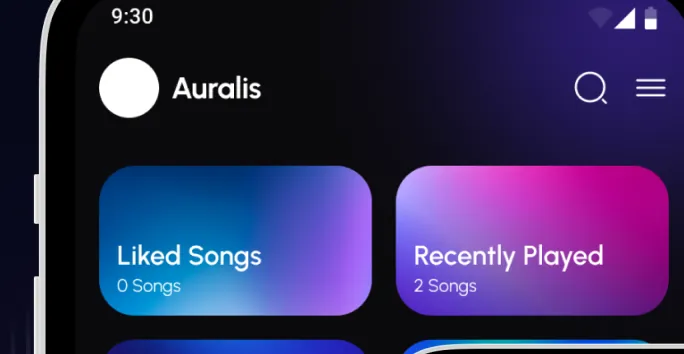
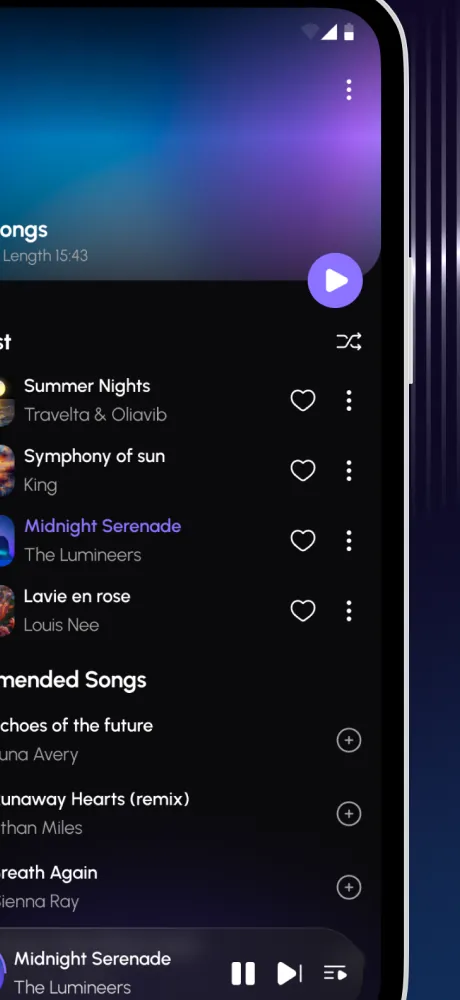
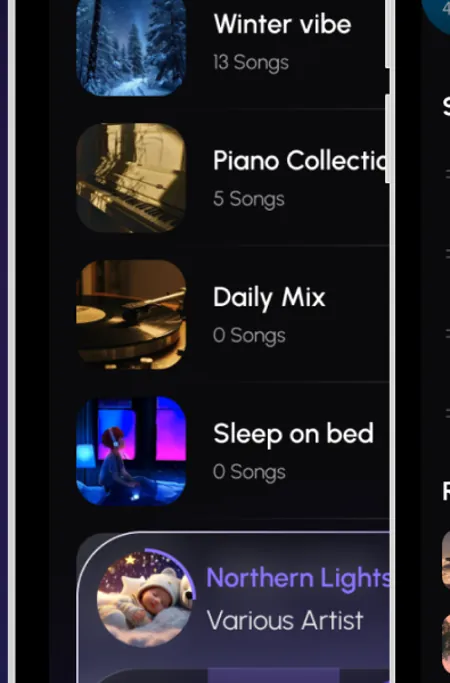
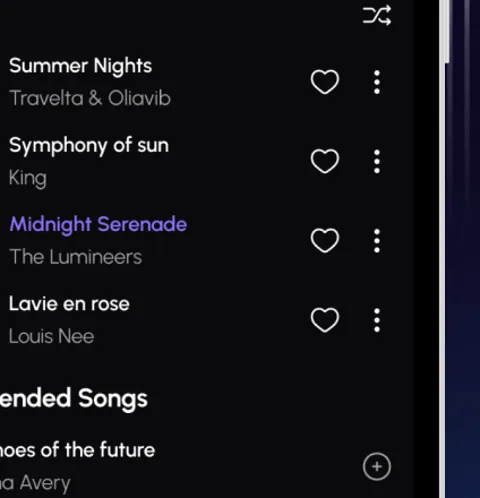
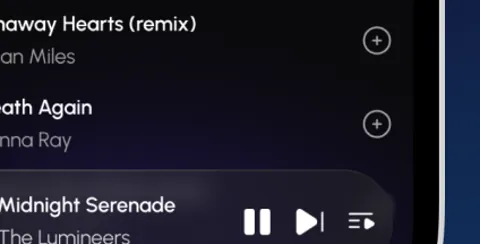
These views come from the Auralys Music App itself: the home screen with its smart cards, the Liked Songs list, the playlist shelf and the now playing bar as they appear on a phone.
On your phone in minutes
How to Download and Install Auralys
- Fetch the file. Open the download page on this site, let the short countdown finish, and tap the button when it appears. Wait until the file is fully downloaded before you open it.
- Open the finished file. Tap it in your downloads list. If Android asks whether your browser may install apps, allow it for this install. That prompt is standard for any app installed from a file.
- Confirm and install. Tap install and give it a few seconds. The icon, white equalizer bars on violet, lands in your app drawer.
- Let it find your music. On first launch, grant the storage permission the player asks for. Without it the app cannot see the songs stored on your phone, which is the whole point of an offline player.
- Press play. Pick any song, album or folder and listen. Then make your first playlist while the opening track is still playing.
The shelf, sorted
Your Library and Playlists
The player organises the way listeners actually think. Browse by songs when you know the title, by albums when you want the full record, or by folders when your collection lives in a structure you built yourself over years. A quick search across your local files sits above all three, so a half remembered title is enough to find the track.
Playlists are unlimited and personal. The app screens show the idea plainly: a Winter Vibe list, a Piano Collection, a Daily Mix, a Sleep list. Drag and drop reordering means the running order is yours to fix at midnight when you suddenly hear how two songs should connect. Automatic lists run in parallel, quietly tracking favourites, most played and recently added, so the library keeps a diary of your taste even when you do not curate a thing.
Tune it to the room
Equalizer and Sound Tuning
The equalizer is where Auralys earns repeat use. Start from a preset that matches the genre, Classical for detail, Jazz for warmth, Rock and Pop for punch, Hip-Hop when the low end carries the track, Heavy Metal when the guitars need edge. Then adjust. Bass boost rescues thin earbuds, reverb gives live recordings their hall back, and the virtualiser widens the stage on headphones that sound too centre heavy.
Our testing habit, and the one we recommend in the tuning notes on this site, is one change at a time with the same thirty seconds of a song you know by heart. Small moves, honestly compared, beat a dramatic slider sculpture you can never recreate.
No converting, no fuss
Supported Audio Formats
It plays MP3, WAV, FLAC, AAC and M4A, and more besides, inside one library. That spread matters because real collections are mixed: a FLAC rip of a favourite album, AAC files from an old store account, MP3s from a decade of downloads, WAV exports from a friend's studio session. One player that simply opens all of them saves an evening of conversion tools.
- MP3: the universal standard, and still most of most libraries.
- FLAC and WAV: lossless listening for the records you care about most.
- AAC and M4A: the files older phones and store purchases left behind.
Listening you can watch
3D Themes and Visualizers
Most offline players are spreadsheets with a play button. It adds a stage: 3D themes and visualizers with dynamic effects and glowing audio waves that move with every beat. Leave the phone on the desk during a listening session and the player looks like part of the setup, not a utility you tolerate. The effect is decorative, never in the way of the controls, and it is one of the first things new users mention.
Checked before it is listed
Safety and Verification
Every build published on this site passes the same routine: the file is checked against the app it claims to be, installed on our own Android test phones, and used for real listening before the download button is switched on. We test the install, the first library scan, the equalizer and Bluetooth output, because those are the moments a bad file would show itself.
Install only the file you fetched from this site, and grant the storage permission only when the player itself asks on first launch. An offline player needs your files, nothing else.
The facts, plainly
Technical Details
The app is a Music and Audio app for Android, free to download. Playback is fully offline from local storage, across MP3, WAV, FLAC, AAC, M4A and more. Sound processing includes an equalizer with genre presets, bass boost, reverb and a virtualiser. Output is tuned for wired and Bluetooth headphones, phone speakers and Bluetooth speakers. The interface supports song, album and folder browsing, full library search, unlimited playlists with drag and drop ordering, automatic Favorites, Most Played and Recently Added lists, 3D themes and audio visualizers.
Honest balance
Pros and Cons
What works well
- Fully offline playback of your own library
- Wide format support, including FLAC
- A real equalizer with useful presets and extra sound tools
- Unlimited playlists plus self maintaining smart lists
- Visualizers and 3D themes make listening feel like an event
What to know
- It plays the music you own; it is not a streaming catalogue
- Lossless files sound best on decent headphones
- The library scan needs the storage permission to work
- Sound tuning rewards patience, one change at a time
When something sulks
Troubleshooting
A song will not play. Check the file itself in another player. If the file is fine, remove it from the library view and let a fresh scan pick it up again.
The library looks empty. The storage permission is almost always the answer. Grant it in the app prompt or in Android settings, then reopen the player.
Bluetooth sounds flat. Some speakers apply their own processing. Set the equalizer preset back to flat, listen, then add small amounts of bass boost only.
A playlist is in the wrong order. Open the list and drag the tracks into place. The order saves as you leave the screen.
Stay current, keep your lists
How to Update Auralys
When a new build is published here, download it the same way as the first install and install it over the existing app. Your playlists, favourites and settings live with the app data, so an in place update keeps them. If an install over the top is refused, fetch the file again in full rather than removing the working copy you already have.